Free to start
Log inGet started free
Guide

Get your shop website done in minutes

Start by searching for your business name. If you cannot find it, here's how to paste a Google Maps link instead, and what happens next.

If you cannot find your shop: how to get a Google Maps share link

Share the Google Maps business page link, not directions or live location.
  1. 1
    Find your shop in Google Maps
    Open your shop location in Google Maps.
  2. 2
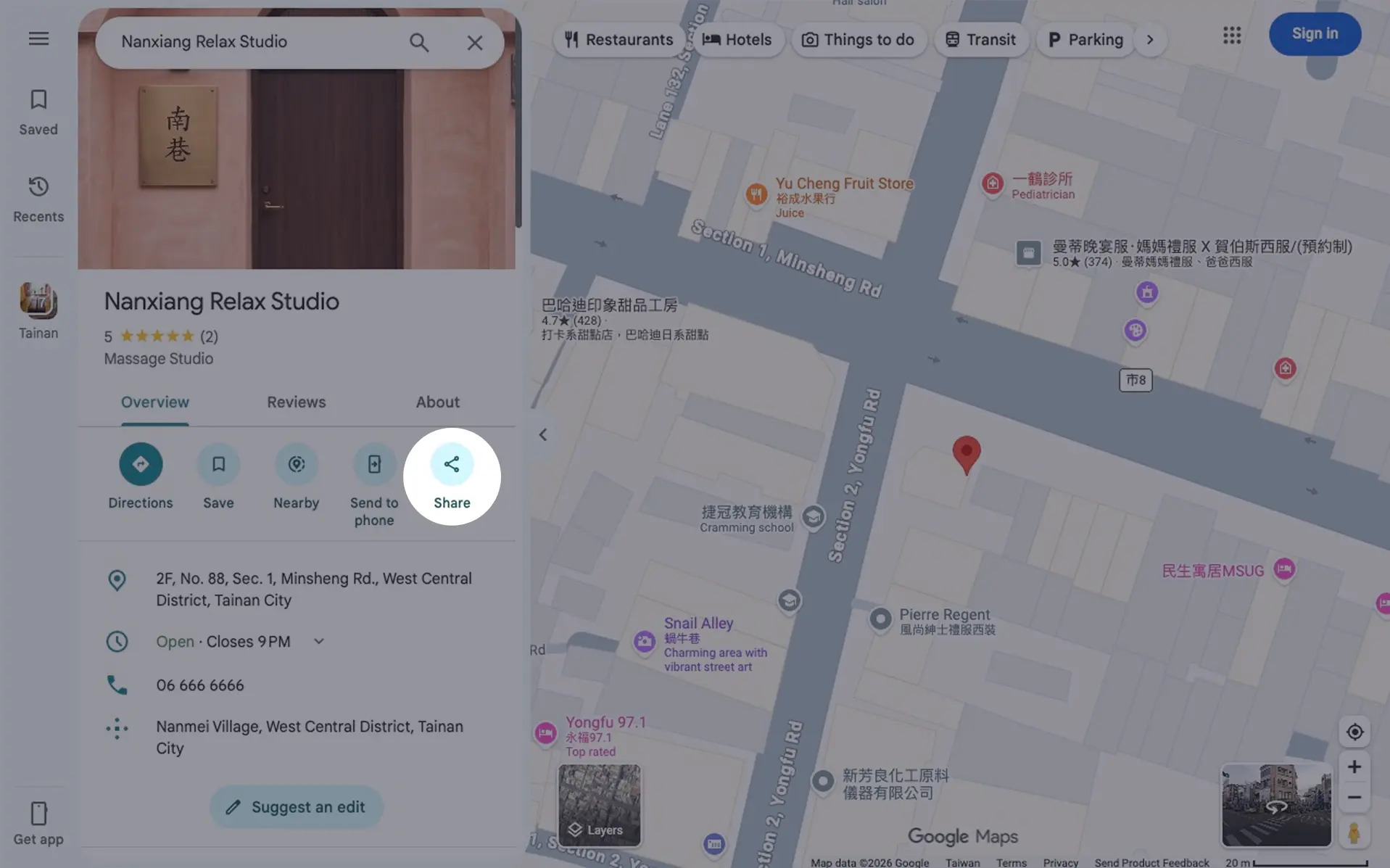
    Tap “Share”
    On mobile, find it on the shop info card; on desktop, in the left sidebar.Google Maps screenshot with the Share button highlighted
  3. 3
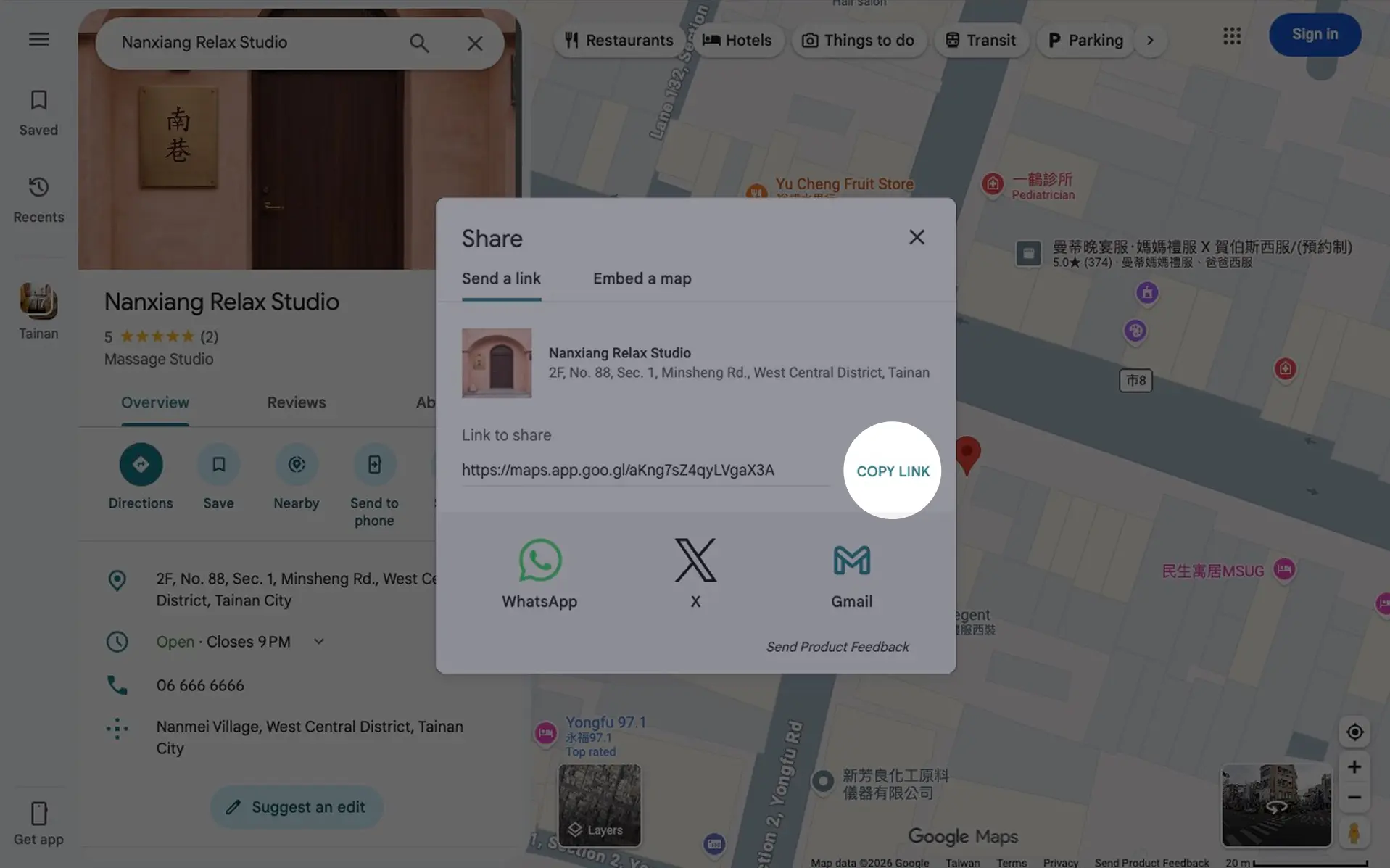
    Copy the link
    Tap “Copy link”, then on the home page choose “Can't find your business? Paste a Google Maps link instead” and paste it in the field.Share menu screenshot with the Copy link button highlighted
Links usually look like https://maps.app.goo.gl/..., and we'll use it to find your shop.

What happens next

1
Click “Generate Draft Website”
Paste the link into the field on the home page and click it to see a preview straight away. If you searched by name, picking your shop from the list shows the preview right away.
2
Click “Finish building this website”
Happy with the preview? Click it and log in to confirm your details, then pick a design, reviews and photos.
3
We organize it into a draft website
Your services, features, and business info are automatically arranged into a clear, readable shop website.
4
Refine in the dashboard and publish
Log in to adjust text, pricing, and order — then go live with one click.
Ready to go?
Search for your business and have a website in minutes.
Create my shop website